
SMS Consent
Last updated: May 2026
Heyday Insurance Agency LLC collects explicit consent before sending any SMS message to beneficiaries through the SOA platform. This page documents our consent process for compliance purposes.
How We Obtain SMS Consent
When a licensed insurance advisor initiates the sending of a Scope of Appointment (SOA) document via SMS, the following consent process occurs inside the SOA platform:
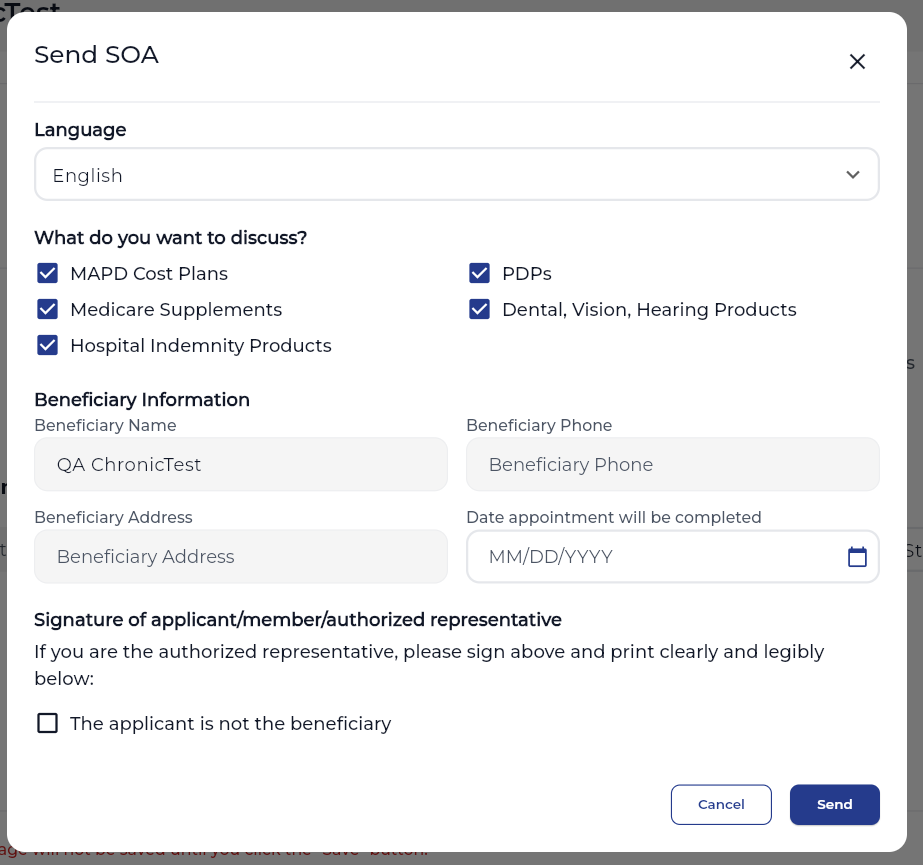
- The advisor fills out the SOA form with the beneficiary's information, including their phone number.
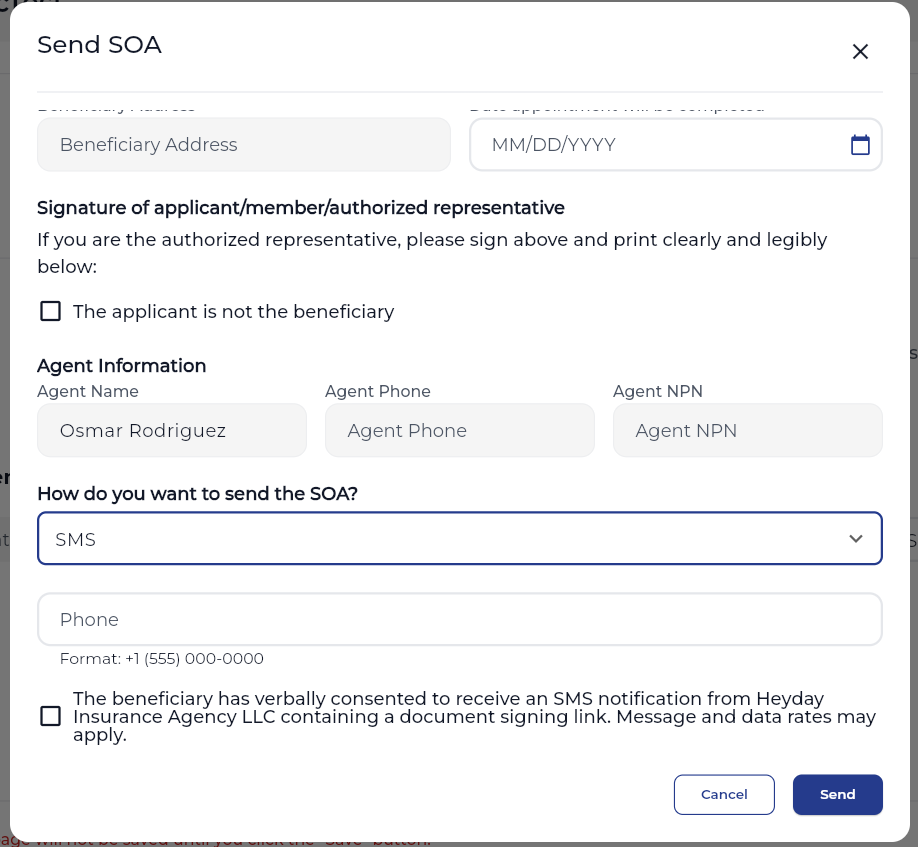
- The advisor selects SMS as the delivery method from the available options.
- Before sending, the advisor is required to check a mandatory consent checkbox confirming that the beneficiary has agreed to receive the SMS.
- The beneficiary receives a single SMS containing a secure link to review and digitally sign their document.
Consent Checkbox Language
The following consent statement is displayed to the advisor and must be checked before the SMS can be sent:
"The beneficiary has verbally consented to receive an SMS notification from Heyday Insurance Agency LLC containing a document signing link. Message and data rates may apply."
Consent Flow — Screenshots
The following screenshots show the opt-in experience inside the SOA platform:
Step 1 — Advisor fills SOA form and selects SMS as delivery method
Step 2 — Advisor checks consent checkbox before sending
Message Details
- Message frequency: One message per document signing request
- Message and data rates may apply
- No marketing or promotional content is ever sent
- Consent is recorded digitally with date and timestamp at the time of sending
Opt-Out
To stop receiving SMS messages at any time, reply STOP to any message. You will receive a confirmation and no further messages will be sent.
Help
For assistance, reply HELP to any message or contact us at soporte@heydayinsurance.com.